
Work
Screens from systems we've built, for client businesses and for ourselves. On the client screens every name and number is made up; the screens are as built. Click any screen to see it full size.
For clients
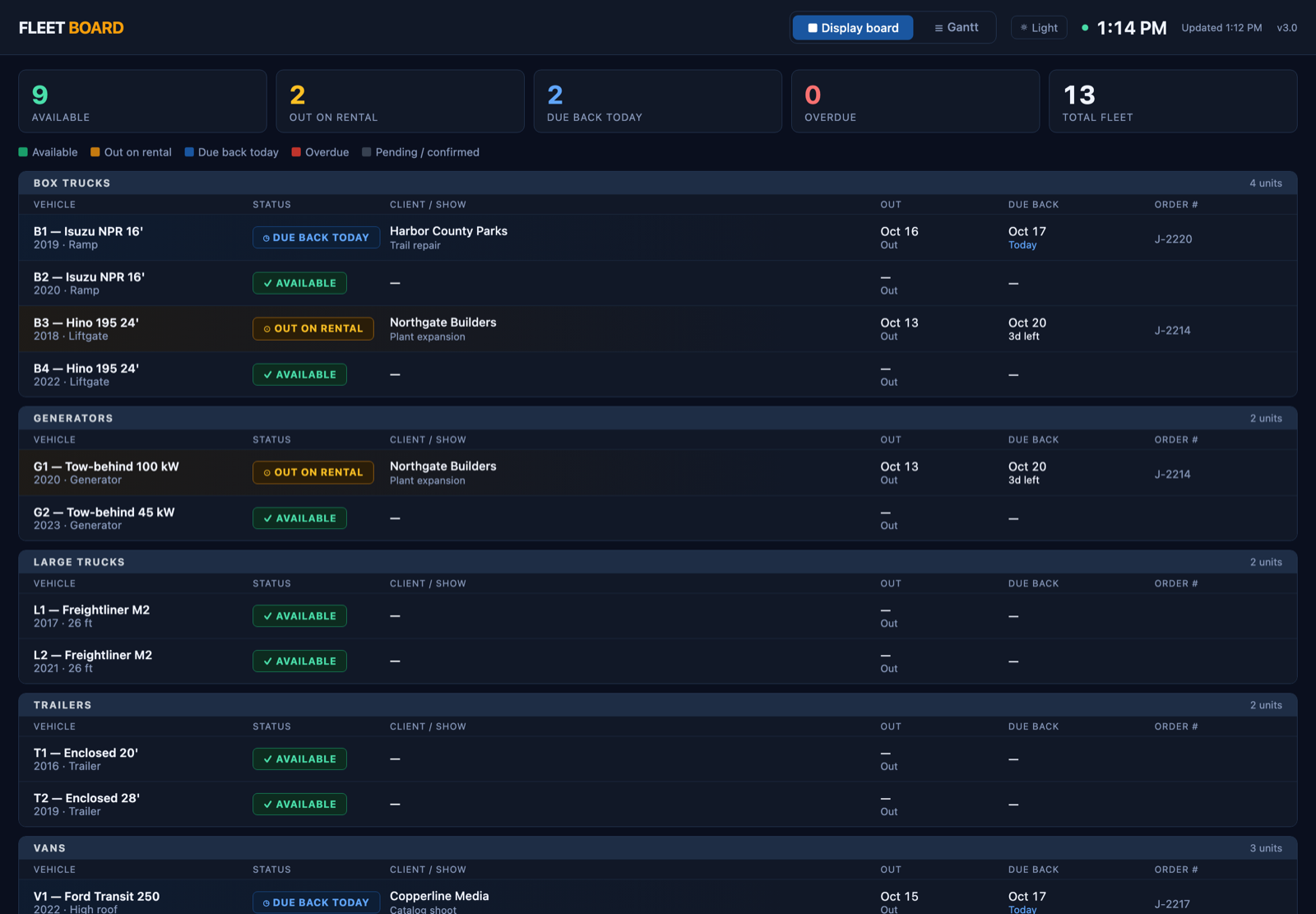
Equipment rental
Every truck: out, due back, or free.
Each truck's status, the job it's on and its return date, on screens around the building. Two bookings on the same dates show up before a truck is promised twice.
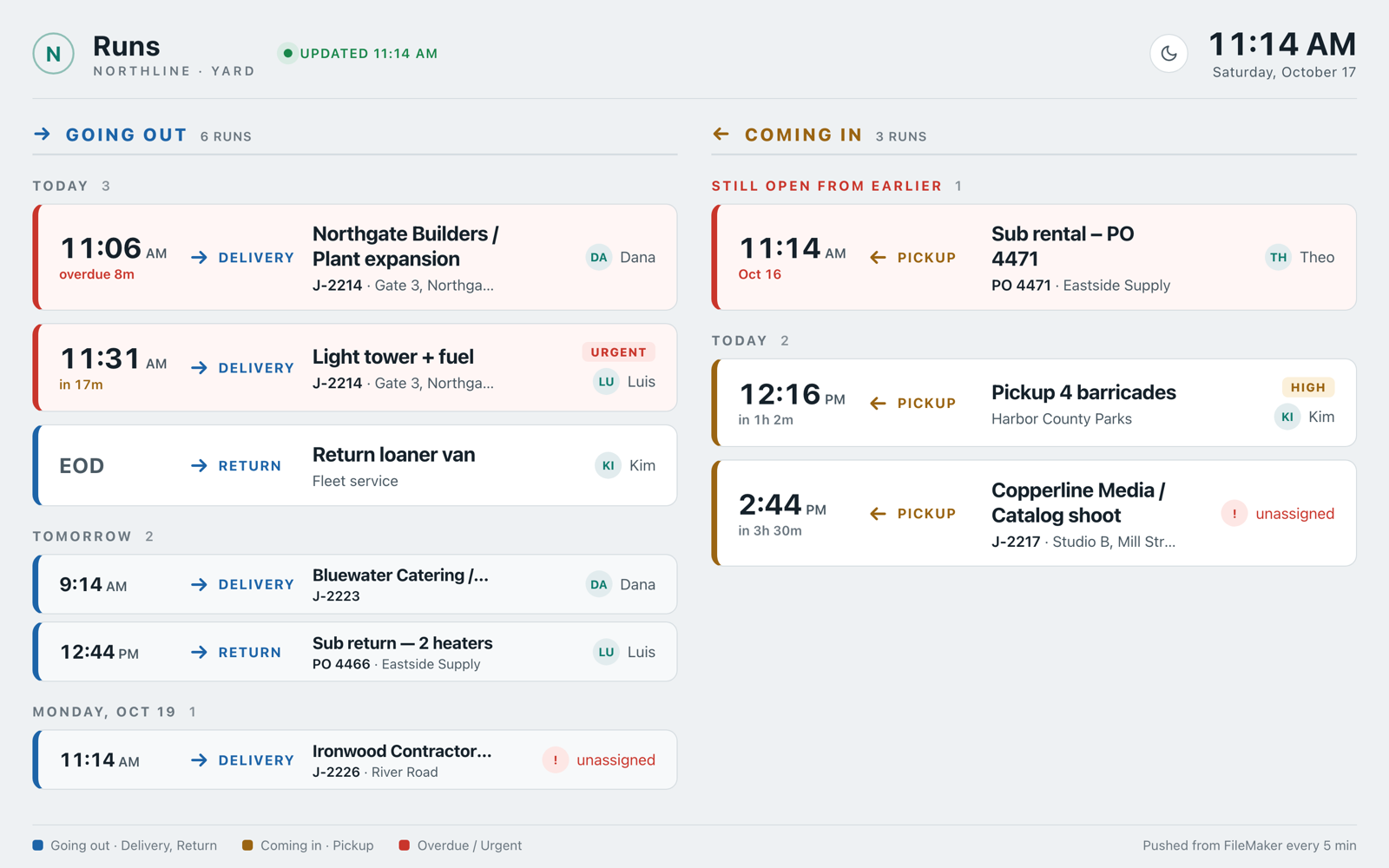
Equipment rental
Today's deliveries and pickups.
Going out on one side, coming in on the other, overdue runs flagged. Drivers close their runs on an iPad, and the board refreshes every five minutes.
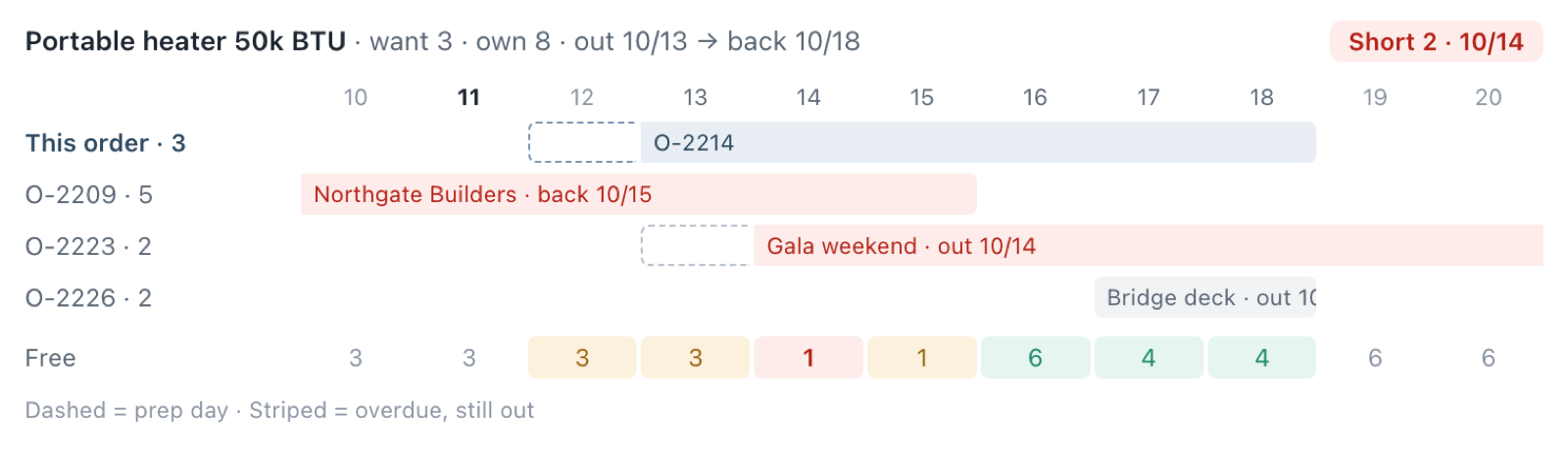
Equipment rental
Is it free for those dates?
While quoting, one click shows whether an item is free, tight or short for those dates, and which other jobs are holding it.
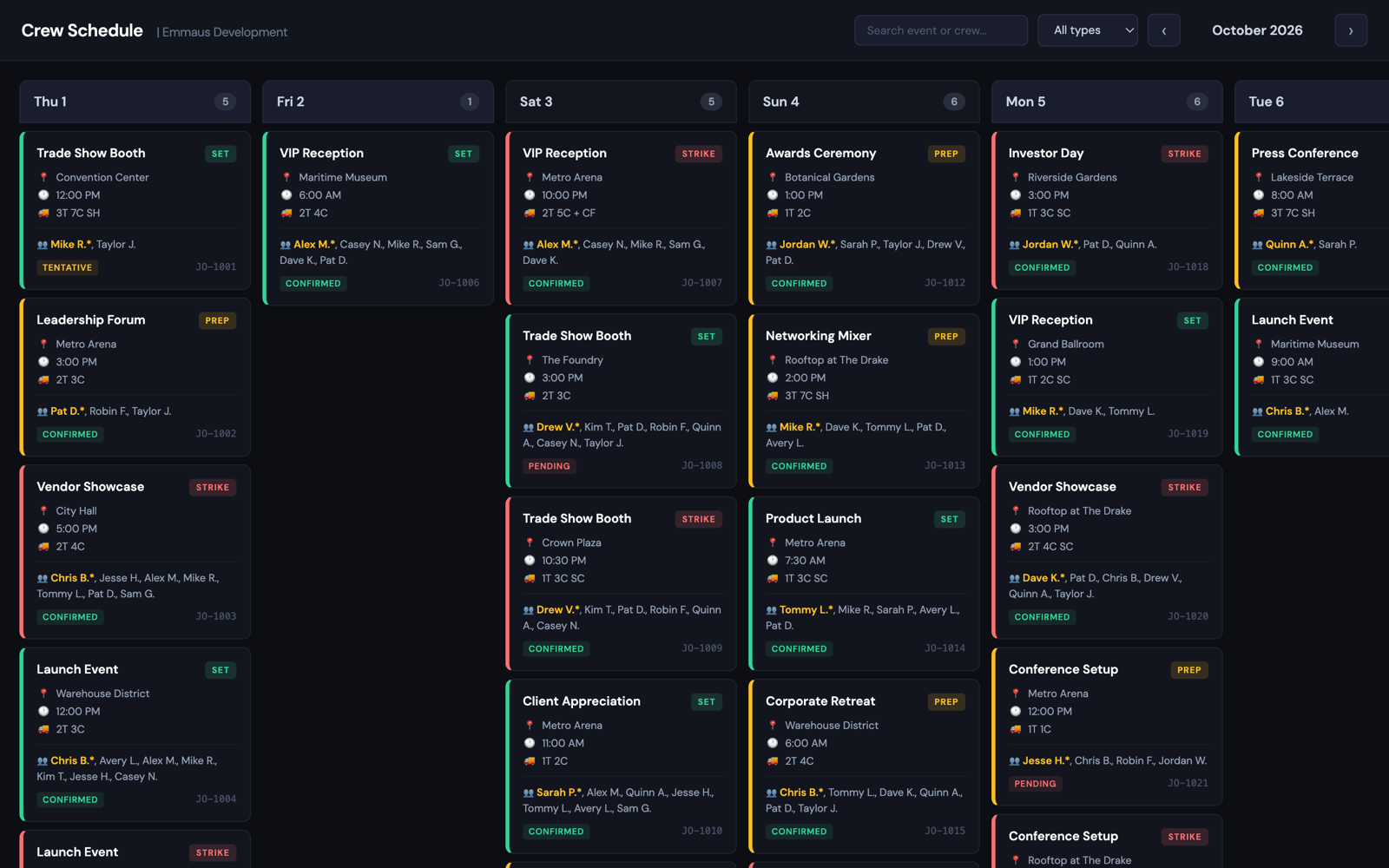
Event production
The crew schedule on every phone.
Every setup and teardown, who's on it and which trucks, on any phone. None of the 30-plus crew needs a login to the office system to see it.
Event production
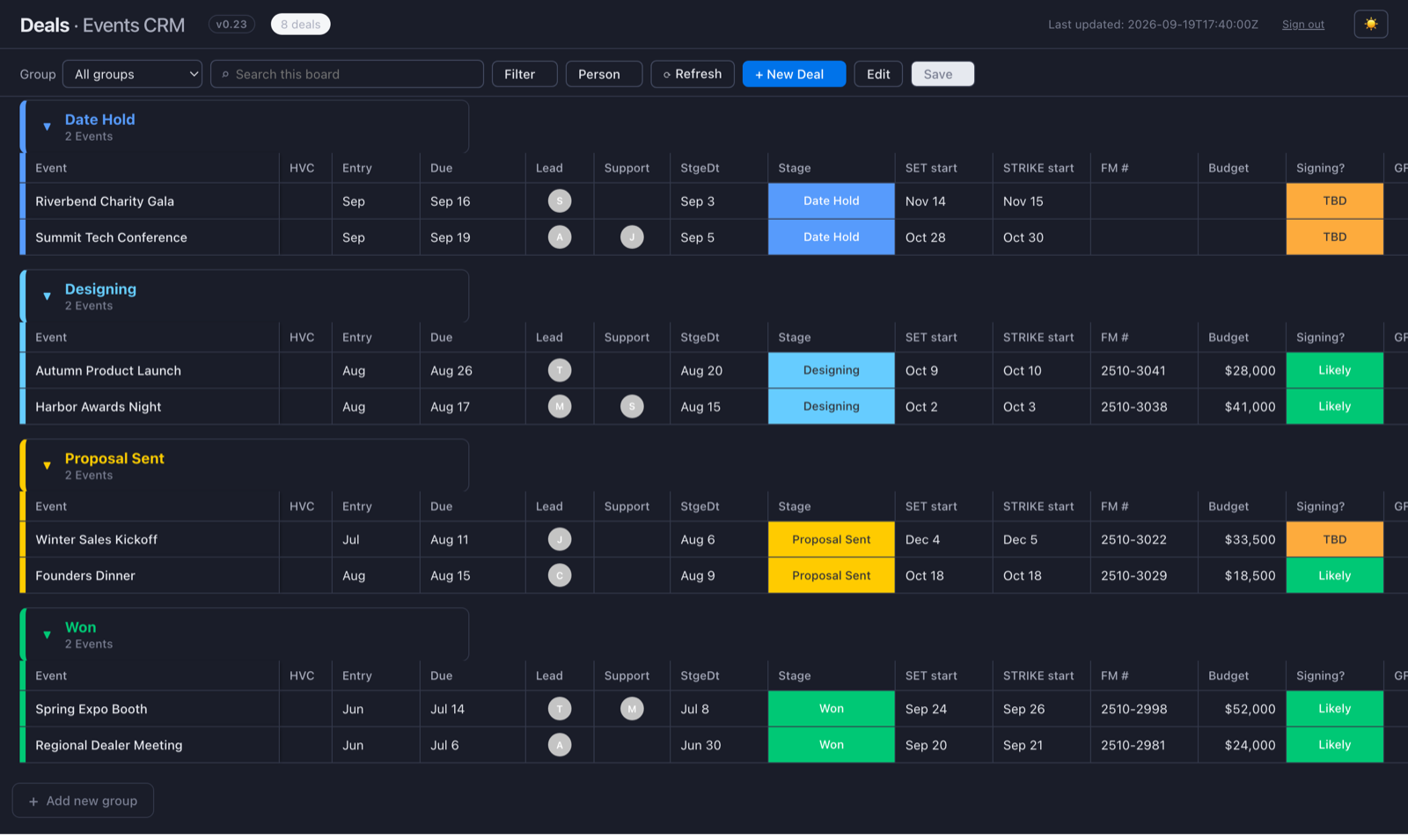
A deals board that keeps up.
The sales team's deals, laid out the way they already work, with every edit going back to their records. Refreshing all 480 deals went from 8½ minutes to under 2 seconds.
Event production
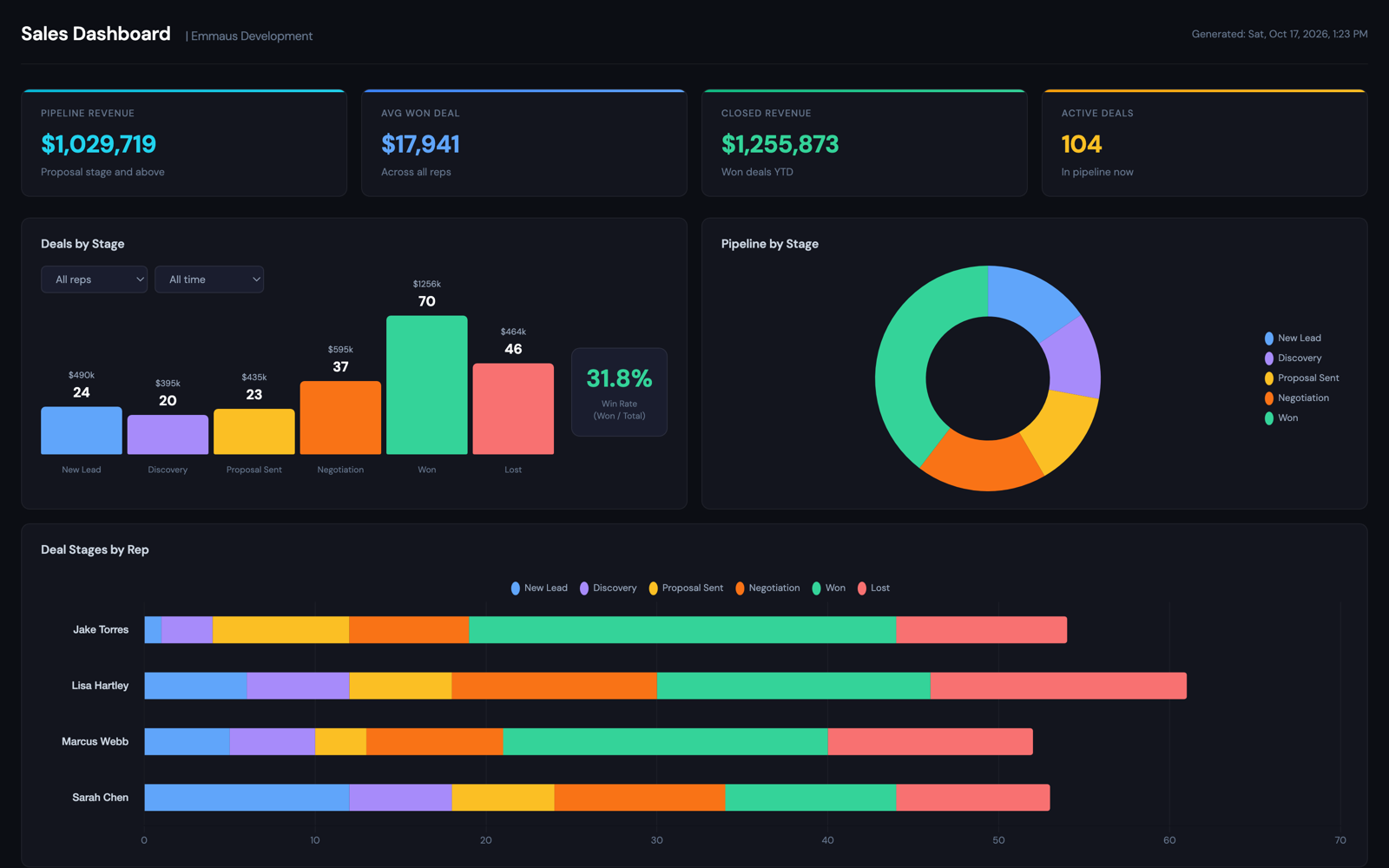
The whole pipeline, without pulling a report.
The year so far, the pipeline, results by rep and a forecast against budget, one click away. The numbers are worked out on the screen you're looking at, so it opens fast and the office system doesn't slow down.
Our own products
Tend8
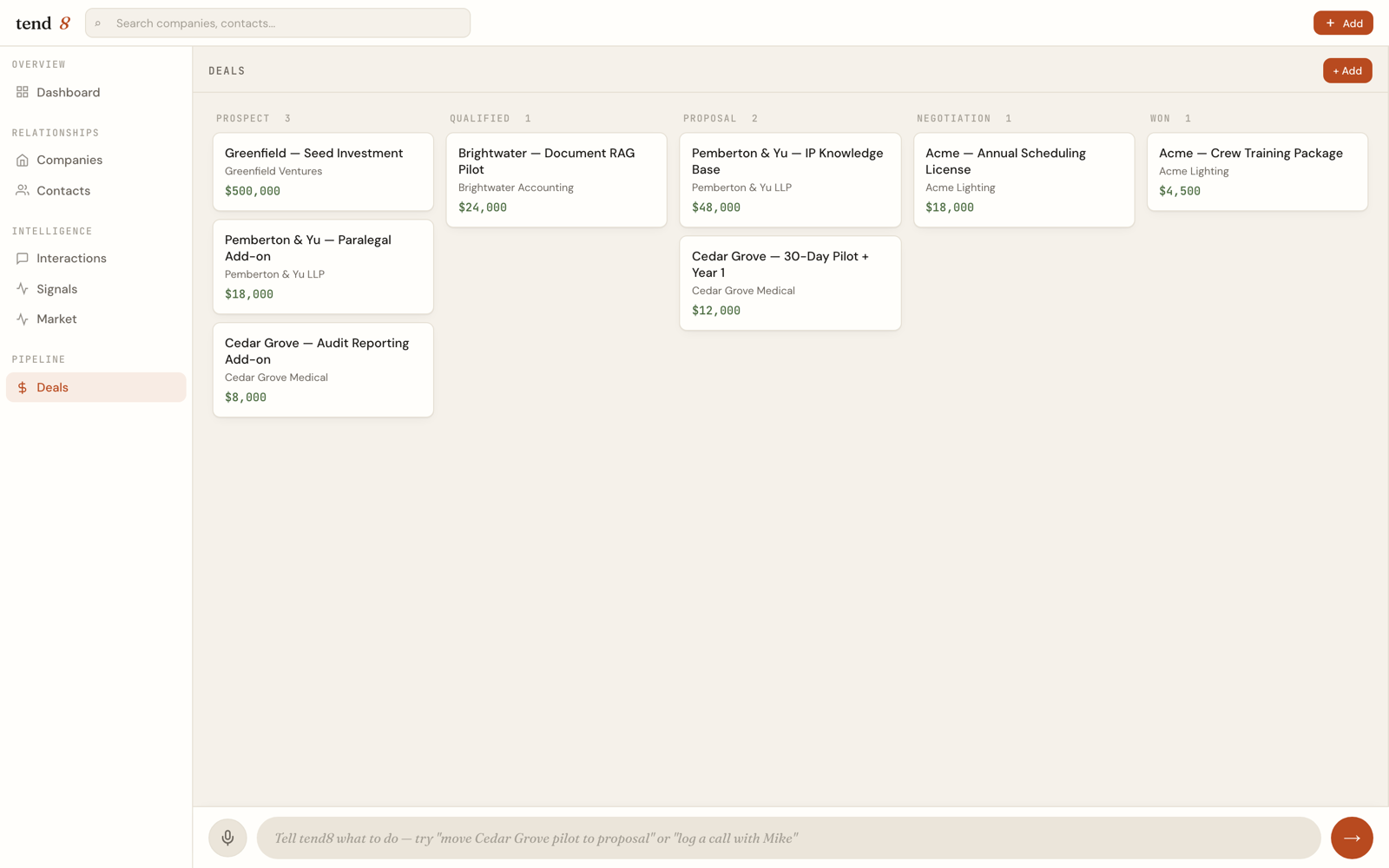
Tend8: tell it what changed.
Tend8 keeps an eye on the pipeline, the money and the follow-ups. Say or type what happened, "move the Cedar Grove pilot to proposal," and the board changes. Shown with demo companies.
Tend8
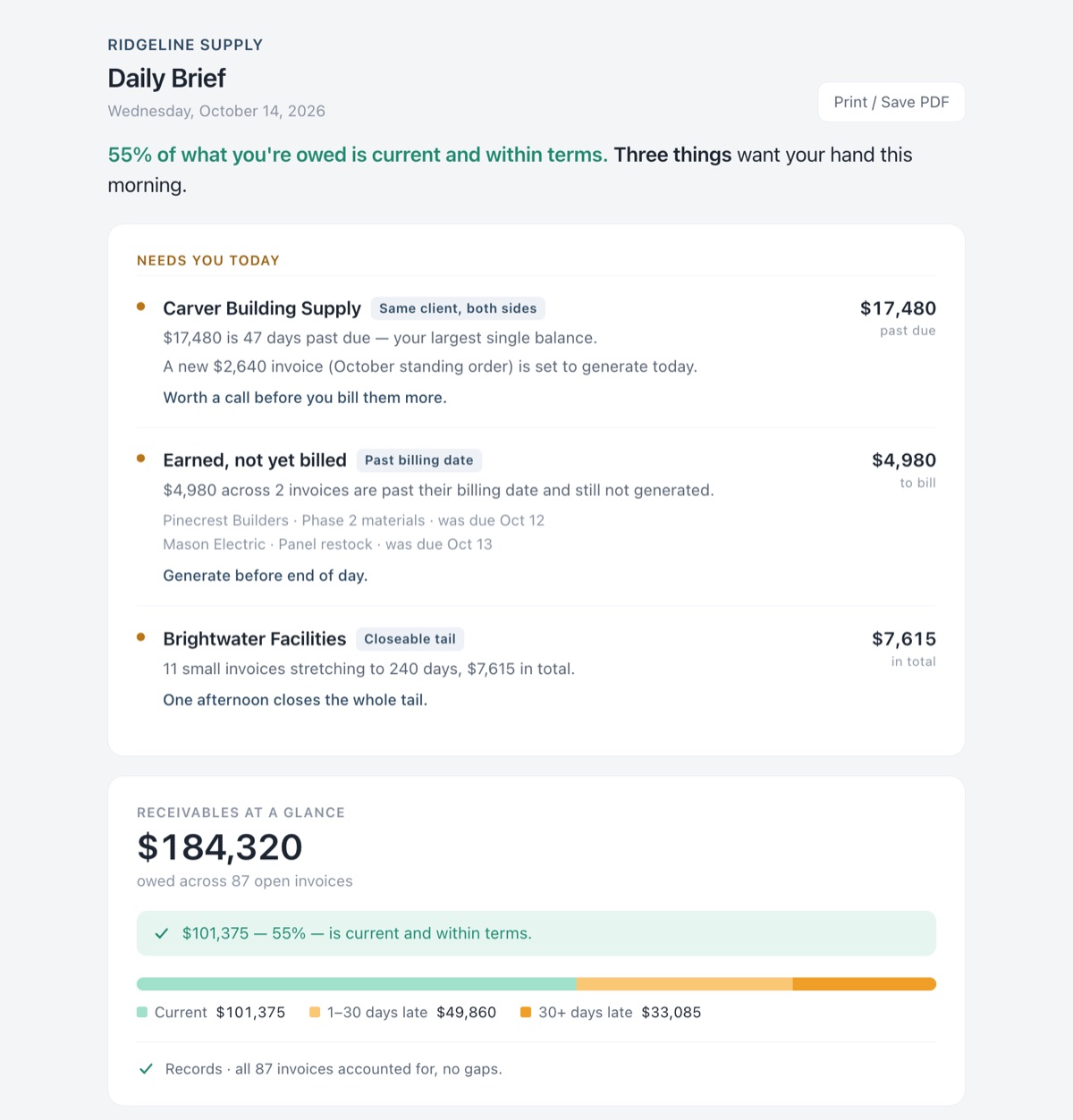
The morning brief.
Each morning, the few things that need you before the day starts, with the dollar amount next to each. Shown with a made-up supply company.
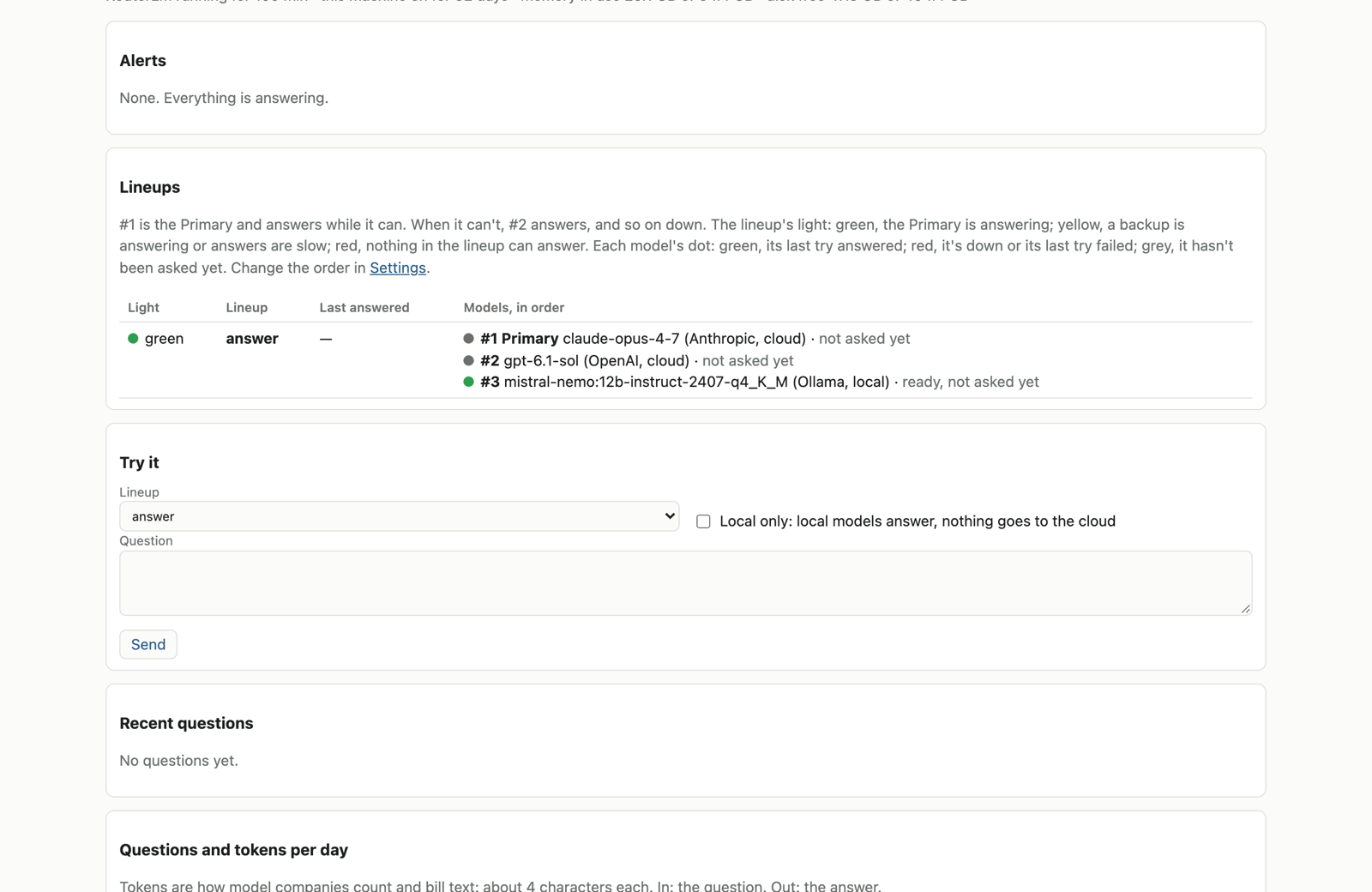
RouterLM
RouterLM: AI that keeps answering.
Your apps ask in one place. If the first AI can't answer, the next one does, down to one running on your own machine. Open source.
Free apps
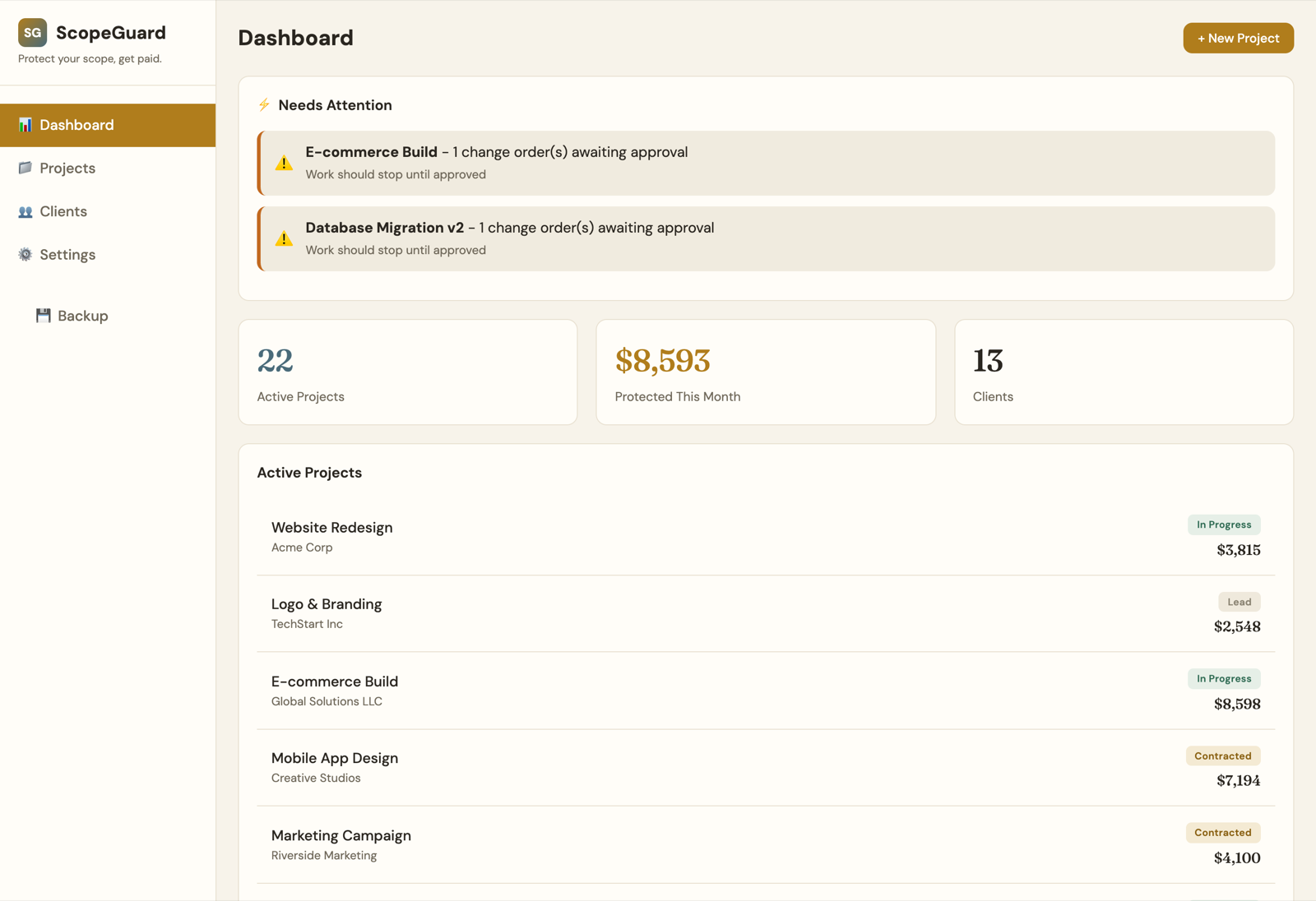
ScopeGuard
Logs client requests and turns out-of-scope work into approved change orders.
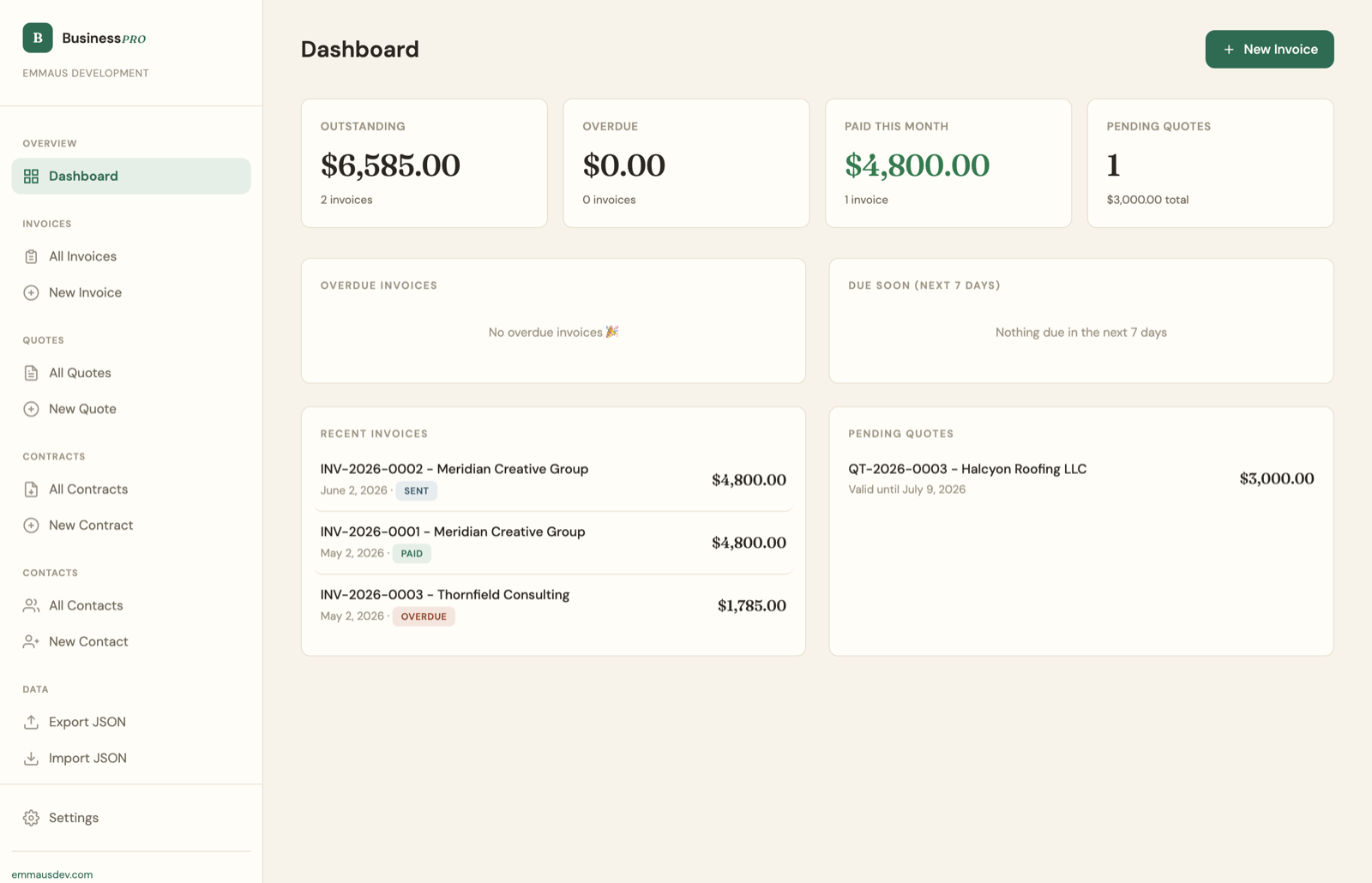
BusinessPro
Contacts, quotes, contracts and invoices in one file that runs in your browser.
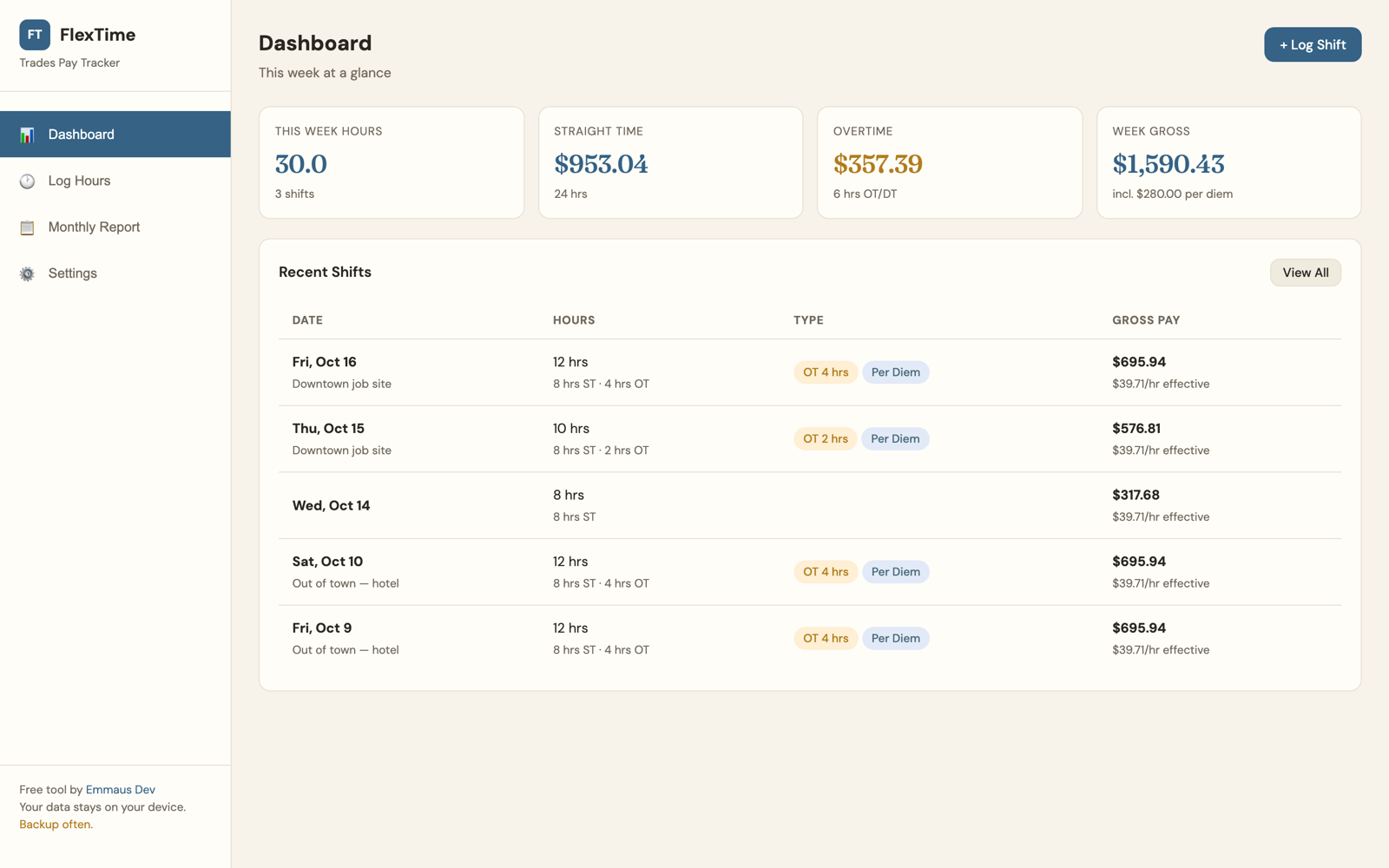
FlexTime
Pay tracking for the trades that gets overtime and per diem right.
Seen something close to what your business needs? Text or email and tell us about it.